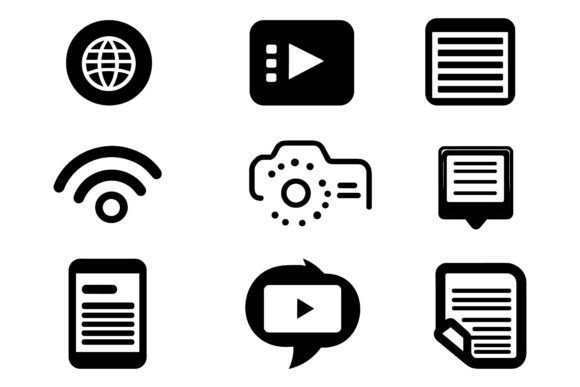
Internet Isometric Icon Set: A Designer’s Versatile Toolkit
Not all icon sets are created equal. Some feel flat and predictable. Others demand hours of tweaking before they fit a project. The Internet Isometric Icon Set avoids both problems. It’s a carefully assembled collection of three-dimensional, cleanly layered vector illustrations that instantly add depth and a polished, modern edge to digital and print work. For designers, marketers, and content creators who juggle multiple platforms, this AI EPS illustration set offers something genuinely practical: an easy-to-use, organized system that doesn’t sacrifice personality or detail.
What stands out immediately is the visual language. These aren’t generic flat icons with a token shadow. Each symbol uses consistent isometric perspective, which means the angles, lighting, and proportions stay uniform across every icon. That consistency creates a sense of realism without being overly complex. The strokes are crisp, the geometry deliberate, and the level of detail sits in a sweet spot—recognizable at small sizes yet rich enough to use large in hero graphics or printed banners.
The personality leans toward clean, tech-forward friendliness. You’ll see icons for cloud storage, messaging, cybersecurity, devices, and connectivity—subjects that resonate with any brand operating in the digital space. But what really gives the set staying power is its neutrality. The shapes feel approachable, not sterile. A well-designed isometric illustration can make a software interface feel more tangible, or give a startup’s landing page a sense of structure and trust. That’s exactly what this collection brings to the table.
Where the AI EPS Illustration Set Shines
You don’t need to be a full-time illustrator to put these icons to work. The file compatibility itself lowers the barrier. Because the download includes AI, EPS, and JPG formats, you can jump straight into Adobe Illustrator for deep customization, drop the JPGs into a presentation deck for a quick refresh, or hand the EPS files to a print vendor without worrying about resolution. Windows and Mac users are both covered, so there’s no friction on different operating systems.
Here are a few real-world scenarios where this icon set becomes a genuine time-saver:
- App and web UI mockups: The isometric style gives simple screens a layer of depth without the need for 3D rendering. Icons can live inside navigation, onboarding flows, or dashboard widgets.
- Explainer infographics: Instead of hunting for matching icons across free libraries, you get a cohesive toolkit. The organized layer structure means you can isolate an element, recolor it, and build a story visually in minutes.
- Printed marketing collateral: Because the vectors scale to any size, a flyer, trade show banner, or product sheet stays crisp. The JPG variations give you a quick alternative when you don’t need editable layers.
- Social media templates: Consistent isometric icons create a recognizable visual thread across posts, stories, and ads. They make infographics and quick tips look intentionally designed rather than hastily assembled.
- Brand identity systems: For agencies maintaining multiple client brands, having a flexible AI EPS illustration set means you can adapt the icons to different color palettes while keeping the same professional structure.
How These Icons Influence Brand Perception and Readability
Icons do more than decorate a page. They organize information, guide the eye, and subtly reinforce a brand’s identity. With an isometric style, you add an extra dimension of professionalism. The slightly tilted perspective signals that a company is forward-thinking, tech-savvy, and detail-oriented. Unlike flat icons that can feel generic, these illustrations create a light visual hierarchy: the background surface, the middle object, and the subtle highlight all work together to make buttons or feature callouts feel interactive and tangible.
When you place an isometric icon next to a headline or a call-to-action, it naturally draws attention because our brains process slight dimensional cues more readily than flat shapes. This doesn’t mean overwhelming the user; it means you achieve emphasis without relying on loud colors or oversized text. The set’s detail consistency also means users won’t be distracted by mismatched line weights or conflicting angles. Everything feels like it belongs to the same family, which builds subconscious trust.
From a branding perspective, that uniformity is gold. Whether you use a single icon on a business card or twenty across a website, the set’s cohesive design avoids the “ransom note” effect of merging assets from different sources. The organized layer structure inside the AI and EPS files lets you swap a brand’s primary blue into the cloud icon’s base while keeping the highlights complementary. That level of control elevates even a quick social graphic to something that looks custom-made.
Practical Editing Without the Headache
One of the most frustrating parts of purchasing a icon set is opening the file and finding a mess of ungrouped shapes and haphazardly named layers. The Internet Isometric Icon Set takes the opposite approach. Everything is neatly organized by file and layer, so you can locate a specific icon, isolate its component parts, and start editing immediately. Need to change the envelope icon’s flap color? It’s likely grouped and labeled logically. Want to remove a small detail for a simplified version? You won’t accidentally delete half the graphic.
This structure is especially valuable for non-illustrators. A marketer who touches Illustrator only occasionally can select an icon, use the eyedropper to match brand colors, and export a PNG without breaking a sweat. For experienced designers, the ability to modify paths and adjust isometric angles without rebuilding from scratch saves billable hours. Even the JPG version can serve as a quick placeholder or reference while you plan a larger layout.
The set includes three variations. That doesn’t just mean three different sizes—it often means subtle stylistic or compositional alternatives that give you flexibility without duplicating effort. You might choose a solid-filled version for a mobile app button, and a more detailed outlined one for a hero graphic. Having those options in a single purchase keeps your visual toolkit compact and consistent.
Testing Fit and Pairings
Before integrating any icon set into a project, it’s smart to do a quick visual test. Drop a few icons into a sample layout—maybe a landing page hero, an email header, and a print flyer—and check how they interact with your typography and spacing. Because these icons have a distinct dimensional quality, they pair well with clean sans serif typefaces that let the illustration breathe. Avoid overly ornate scripts that compete for attention; instead, go for modern geometrics or humanist sans that mirror the icons’ clean lines.
You may find the icons work beautifully at a medium size (around 48 to 96 pixels on screen) where the isometric detail remains crisp. At very small sizes, some delicate highlights might merge, but the set’s precision means you can simply hide those highlight layers or use a simplified variation. This kind of thoughtful layering gives you more control than a static PNG pack ever could.
Also consider color harmony. The icons likely ship in a neutral or web-friendly palette, but because you can edit them easily, experiment with shifting the entire set’s color story toward your brand’s warm or cool tones. Keeping the isometric lighting consistent—lighter top surfaces, slightly darker right-side planes—while swapping hues creates an entirely new feel without breaking the visual logic.
Designing Across Platforms With One Cohesive Set
The modern creative workflow crosses borders daily. A single campaign might need assets for a website, an email newsletter, Instagram stories, and a printed brochure. An icon set that only works in one medium becomes a bottleneck. The Internet Isometric Icon Set sidesteps that issue because the vector EPS and AI foundations guarantee infinite scalability, while the complementary JPG gives you a quick web-ready option.
For a small business owner who wears many hats, this means you don’t have to learn a new tool or buy separate assets for screen and print. You can take the same cloud storage icon, enlarge it for a poster, recolor it for a dark-mode app screen, and export it as a crisp favicon—all from the same source file. The cross-platform compatibility (Mac and Windows) ensures that regardless of whether you’re working on a MacBook in a café or a Windows desktop in a corporate office, the files open without conversion errors.
Accessibility is another practical consideration. When using isometric icons in interfaces, make sure the meaning remains clear even if someone can’t perceive the depth. Pair icons with text labels or alt descriptions. The design’s clarity helps here: the core silhouette of each icon is strong enough to communicate without relying solely on the isometric tricks. That balance between style and functionality is what sets a well-made set apart.
Keeping Your Brand Consistent Over Time
As your brand evolves, you’ll likely update colors, messaging, or even the overall design direction. An icon set that’s hard to edit becomes obsolete quickly. Because these AI EPS files are fully editable, you can adapt the entire library to match a rebrand. Change all outlines from charcoal to a softer gray, or introduce a gradient that reflects a new product line. The organized layers make batch adjustments realistic rather than a tedious chore.
This longevity speaks to commercial value. You’re not buying a one-time decoration; you’re investing in a component that can flex across client projects, personal websites, or product interfaces for years. Always review the license terms to confirm how you can use the icons—whether in commercial work, print-on-demand products, or client deliverables—but a well-crafted set like this typically supports broad usage.
Real Design, Not Just Decoration
It’s easy to treat icons as afterthoughts, but they shape how people perceive information. A dashboard filled with mismatched or clumsily drawn icons feels untrustworthy, even if the data is solid. This set’s perfection in details—the subtle highlight placement, the consistent stroke terminations, the thoughtful negative space—elevates everyday designs. A tech blog post header gains authority. A service page gains clarity. A printed event banner looks professionally crafted rather than thrown together.
The isometric trend has staying power because it mirrors how we naturally perceive objects in space. Unlike gimmicky styles that age poorly, clean isometric illustrations remain relevant thanks to their blend of geometry and realism. When you use the Internet Isometric Icon Set, you’re not just inserting a graphic; you’re building a subtle narrative about precision and modernity.
If you’ve been searching for an icon collection that reduces friction instead of adding it—something you can actually open, edit, and deploy across mediums without a steep learning curve—this AI EPS illustration set deserves a close look. Its combination of organization, editability, and considered design makes it a practical staple for anyone who cares about how their work communicates.