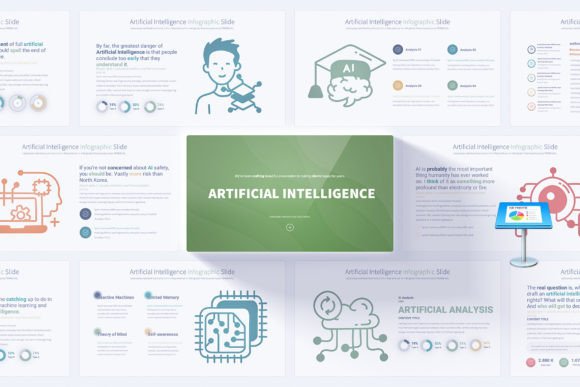
Mastering AI Presentations: A Guide to Engaging and Influential Keynote Communication
Imagine you are standing in a room full of investors, executives, or fellow technologists. You have ten minutes to explain a complex artificial intelligence solution — something dense with neural networks, data pipelines, and algorithmic nuance. Your slide deck is your visual partner. Yet far too often, presentations on AI and emerging technology fall into the trap of dense text, lifeless charts, or confusing diagrams that lose the audience before the first transition. The truth is that communicating AI effectively is as much an art as the technology itself. Whether you are showcasing a product prototype, unveiling a new digital strategy, or educating a team on machine learning fundamentals, the way you design your keynote directly influences understanding, memory, and decision-making.
This article explores the world of AI keynotes — not just the slides on screen, but the philosophies and practices behind crafting presentations that transform abstract ideas into clear, actionable stories. We will unpack why visual narrative matters, how structure elevates your message, and what practical steps you can take to make your next AI-focused presentation stand out. Along the way, we’ll examine how modern design resources, including comprehensive slide templates, can serve as a launching pad for professional communication without sacrificing creativity.
Why AI Presentations Demand a Different Visual Language
Artificial intelligence is inherently multidimensional. It involves layers of abstraction: data collection, model training, validation, deployment, and real-world impact. When you try to compress these layers into generic bullet points, you quickly overwhelm your audience. Standard business presentations often rely on linear logic — a market problem, a product solution, financial projections. AI presentations, however, need to translate non-linear, often probabilistic systems into something intelligible. This is why visual design becomes a critical thinking tool, not just decoration.
Visual storytelling in an AI context serves three main purposes:
- Bridging knowledge gaps: Many stakeholders are not data scientists. Use metaphor-rich infographics to illustrate how a recommendation algorithm works, or to compare supervised versus unsupervised learning without touching code.
- Highlighting relationships: AI systems are webs of interconnected components. Handmade diagrams and custom vector icons help you show data flow, feedback loops, and the human-in-the-loop idea far better than text.
- Building trust: Transparency is essential when discussing AI ethics or model fairness. A well-designed slide can visually demonstrate how you mitigate bias or protect privacy, making abstract safeguards concrete.
When you rely on default slide layouts or generic charts, you miss the chance to create a shared mental model. Intelligently crafted AI keynotes do not just inform — they align everyone in the room around a common vision.
The Anatomy of a Winning AI Keynote Deck
Before you even open presentation software, consider the journey you want your listeners to take. A powerful AI keynote deck is like a well-tested model: it has clear inputs, a thoughtful architecture, and meaningful outputs. Let's break down the structural elements that consistently lead to compelling AI presentations.
1. Opening with Purpose and Clarity
Your first slides set the tone. Rather than starting with an agenda that everyone will forget, open with a human-centered statement. Why does this AI matter right now? A title slide might show a single compelling image and a provocative question — not a list of bullet points. Professional opening slides that leverage high-resolution, light-background design with subtle animated transitions can immediately signal sophistication and attention to detail.
Example: Instead of “Agenda: Project Aurora Update,” try “What If Every Customer Interaction Felt Intelligently Personal?” This immediately invites curiosity and frames the entire talk around value, not just technical features.
2. Translating Complexity into Infographic Thought
The core of any AI presentation is the explanation of the technology. This is where handmade infographics become indispensable. Infographics allow you to break down complex processes into digestible visual steps. Consider how you might depict a neural network: a few well-placed circles, connection lines, and minimal labels can convey the concept of layers far better than a dense paragraph. Similarly, a timeline infographic could illustrate how a model improves over iterations.
When your slides are built from master slides with easily editable elements, you can swap colors, icons, and text with ease, ensuring that the visual language stays consistent. This consistency reduces cognitive load and keeps attention on your message rather than on jarring layout shifts.
3. Data Storytelling with Animated Transitions
AI is inseparable from data, but raw data tables are audience repellents. Instead, use animated elements to reveal data points progressively. For example, when demonstrating model accuracy improvement, you could highlight a line chart that draws itself slide by slide, accompanied by concise callouts. The motion should always serve the story — guiding the eye toward the key takeaway without distraction.
Speaking of motion, subtle animated transitions between slides maintain momentum. A consistent, gentle fade or slide-in effect feels professional, whereas garish fly-ins can break your audience’s immersion. The best AI keynote templates bake in this kind of polish, saving you time while keeping presentation quality high.
4. Closing with Actionable Meaning
Your final slides are the lasting impression. A strong closing slide does not say “Thank You” and disappear. It summarizes the core transformation your AI enables and leaves the audience with a clear next step, a memorable quote, or an invitation to engage further. Professional closing slides often tie back visually to the opening, creating a sense of closure and reinforcing brand identity through consistent color schemes and iconography.
Overcoming Common AI Presentation Mistakes
Even experienced speakers fall into patterns that undermine their credibility. Being aware of these pitfalls can dramatically sharpen your next keynote.
Mistake 1: Treating slides as a document. Your slide deck is not a leave-behind report. If you put everything on screen, you might as well email a PDF. Keep text minimal and let your spoken words carry the weight. Use slides as visual anchors.
Mistake 2: Using generic stock imagery. A photograph of a robot shaking hands with a human might feel cliché by now. Instead, rely on abstract but relevant infographics, custom vector icons, and diagrams that are tailored to your message. This is where having access to a library of fully editable icons becomes a game-changer, as you can quickly find an AI-related symbol — a brain, a gear, a data cloud — and customize its color and size to fit your design.
Mistake 3: Ignoring accessibility. Light backgrounds with high-contrast text make slides readable in brightly lit conference rooms and on virtual meeting screens. Multiple color variations of a base template allow you to adapt to your organization’s palette while ensuring compliance with visual accessibility best practices.
Mistake 4: Forgetting the emotional layer. AI is often associated with fear or hype. Acknowledge these feelings. A carefully chosen anecdote about how your AI helps a real person can shift the room’s energy from skepticism to curiosity. Your visual design can support this by using warmer colors for human-centric slides and cooler, tech-oriented shades for technical deep dives.
How Flexible Keynote Resources Save Time and Elevate Quality
Creating a full AI presentation from scratch is time-consuming, especially if you lack graphic design expertise. This is where thoughtfully structured template collections prove their worth. A comprehensive set of AI-focused keynote slides gives you a head start without locking you into a rigid look. You maintain full creative control while skipping the repetitive setup of master slides, alignment, and color scheme application.
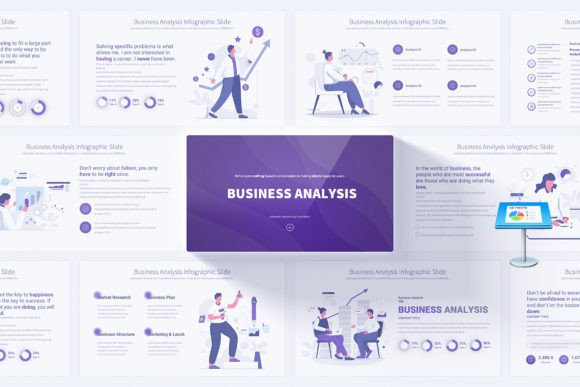
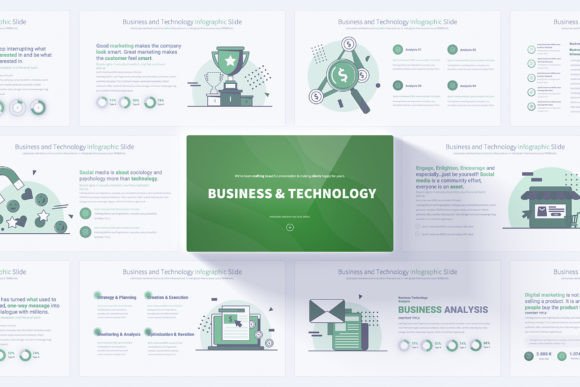
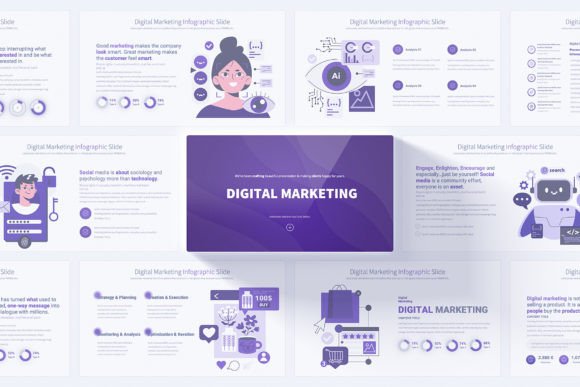
Consider a resource that offers not just a handful of slides but a robust selection — say, 17 unique, fully customizable slides, with each one available in multiple color variations and layered on master slides. This approach means you can mix and match slides from different color sets to create a unique narrative arc that feels bespoke. Instead of spending hours adjusting fonts and shapes, you click into a pre-built layout, replace placeholder text, and fine-tune the vector icons to match your brand.
The value also extends to consistency. When all slides are based on master slides, a single change to a master element updates across the entire deck. This is a lifesaver when a stakeholder asks for a last-minute color adjustment or logo swap. Couple that with full HD resolution optimized for modern displays, and you ensure that every graph, every infographic, and every text block appears razor-sharp on a conference screen or a high-definition broadcast.
Practical Examples: Using AI Slides in the Real World
To make this concrete, imagine three different professionals and how a structured AI keynote template supports their goals.
The Technology Consultant: You are pitching a predictive maintenance solution to a manufacturing client. You need to explain sensor data ingestion, anomaly detection algorithms, and a dashboard interface. Using slides with handmade infographics, you map out the data flow from machine sensors to the cloud, then to the alert system. You animate each step to build anticipation, and you swap in icons of gear, cloud, and bell to make the workflow instantly recognizable.
The Startup Founder: You have an investor meeting. You need to show market opportunity, product differentiation, and a roadmap. You use a clean opening slide with a powerful headline, then a few slides with light backgrounds and elegant charts. The bonus vector icons let you create a simple competitive landscape diagram without having to hire a designer. The result is a polished, trustworthy pitch that makes your AI startup look professional and prepared.
The Corporate Trainer: You are onboarding non-technical teams on the basics of AI. Your slides need to foster understanding, not overwhelm. You use the template’s educational infographics to visually distinguish between supervised learning and reinforcement learning. The user-friendly design means you can quickly duplicate slides, change a few icons, and tailor sessions for marketing versus operations without starting over.
Bringing It All Together: Your Path to Better AI Keynotes
Ultimately, a keynote about artificial intelligence is an act of translation. You are taking the language of machines — linear algebra, optimization functions, probability — and rendering it into human insight. This translation succeeds or fails not just on the accuracy of your speaking, but on the thoughtfulness of your visual design.
As you prepare your next presentation, look at your slides with fresh eyes. Do they guide the audience through your narrative, or do they dump information? Are your visuals reinforcing your message, or are they simply filling space? Remember that small details — a consistent color palette, a custom icon that perfectly captures a concept, a seamless transition between topics — compound to create a feeling of mastery. And that feeling translates directly into how your audience perceives your expertise and your AI solution.
Whether you build your deck from a blank canvas or leverage a feature-rich template equipped with hundreds of slides, infographics, and vector icons, the core principle remains: design with empathy for the person watching. When you do that, your AI keynote will not just be seen — it will be remembered.