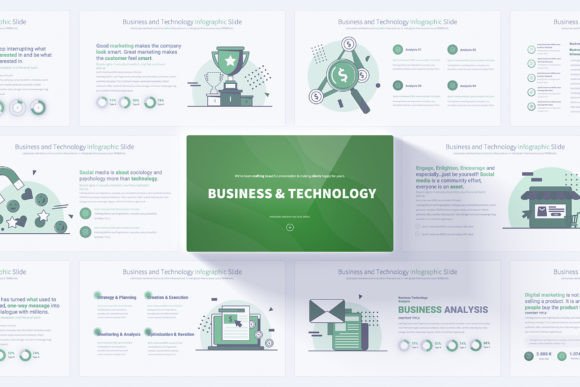
Mastering Modern Presentations with Business and Technology PowerPoint Templates
Presentations have become the backbone of professional communication. Whether you are pitching an idea to investors, mapping out a quarterly strategy, or introducing a new software product, the way you present your thoughts can make or break your message. A well-designed slide deck doesn't just convey information; it shapes perception, builds credibility, and guides your audience through complex ideas with clarity. This is where a specialized Business and Technology PowerPoint template steps in, offering a structured yet flexible foundation for creating compelling visual narratives.
But what exactly makes a presentation template effective, and how do you know when a particular design is the right fit for your needs? Understanding the anatomy of a good presentation tool helps you move beyond surface-level aesthetics and into meaningful communication.
Why Structure Matters in Business and Technology Presentations
Technology topics often carry an inherent complexity. You might be discussing cloud infrastructure, data analytics pipelines, machine learning models, or cybersecurity frameworks. Without a clear visual hierarchy, even the most knowledgeable audience can lose the thread. A Business and Technology PowerPoint template provides a pre-built architecture that organizes information into digestible segments while leaving room for technical depth.
Think of a slide deck as a visual journey. Each slide serves as a stepping stone, carrying your audience from the initial problem statement through your proposed solution, and finally to implementation and expected outcomes. Templates designed for business and technology contexts anticipate this flow. They include slides for process flows, comparison tables, timeline projections, and data visualization, all of which reduce the mental effort required to grasp complex relationships.
Understanding the Slide Master Advantage
One of the most practical aspects of a professionally designed template is its use of Slide Master. For many users, the term sounds technical, but its value is straightforward. The Slide Master controls the overall look and feel of every slide in your presentation. When you make a change to the master slide, whether it's adjusting a logo placement, modifying a font, or updating a color scheme, that change applies instantly across all your slides.
This means you spend less time wrestling with formatting inconsistencies and more time refining your content. For teams where multiple people contribute to a single deck, the Slide Master ensures brand consistency without requiring everyone to be a design expert. The Business and Technology PowerPoint template leverages this feature extensively, allowing users to maintain a cohesive visual identity even when repurposing slides for different audiences or contexts.
Exploring the Core Components of the Template
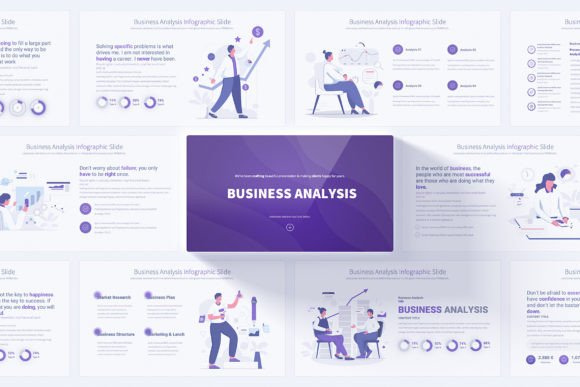
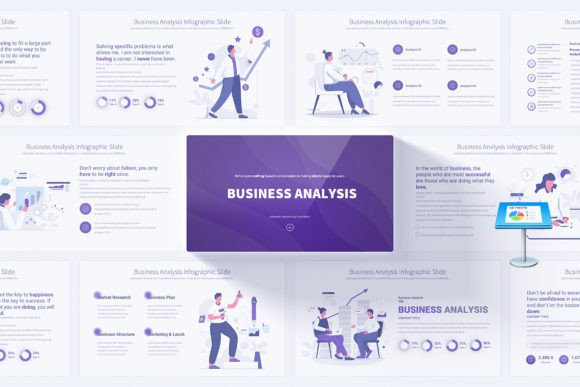
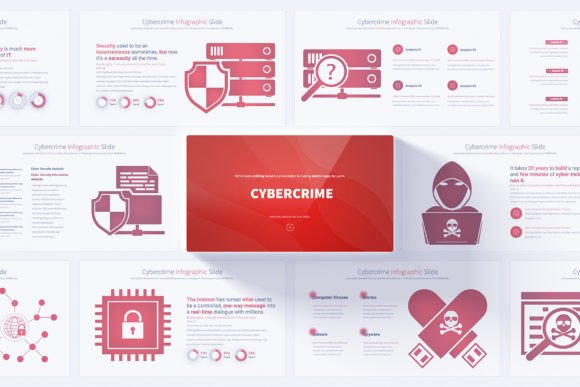
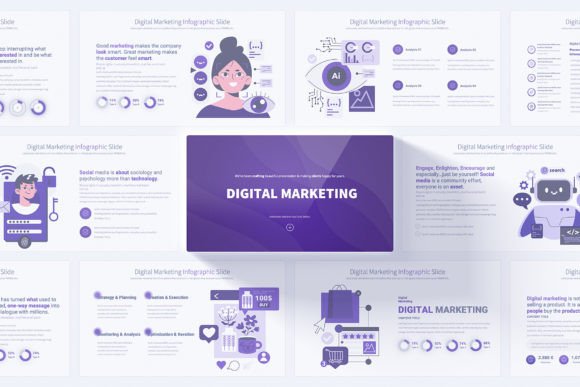
A closer look at the template reveals a thoughtful arrangement of elements designed to serve varied presentation needs. With 17 unique base slides and a total of 204 fully customizable variations, the range of choice supports both depth and versatility.
Professional Opening and Closing Slides
First impressions are lasting. The opening slide sets the tone for your entire presentation, and the closing slide leaves your audience with a final, memorable takeaway. The template includes professionally designed opening and closing slides that frame your content with polish. These aren't just decorative bookends; they establish your credibility from the very first moment and reinforce your key message at the end.
Handmade Infographics and Data Storytelling
Data without context is just noise. Infographics transform raw numbers and processes into visual stories. The handmade infographics included in this Business and Technology PowerPoint template are crafted to illustrate relationships, hierarchies, and sequences naturally. Whether you need to show a funnel, a circular process, a matrix, or a branching decision tree, these graphics help you communicate without overwhelming your audience with bullet points.
Fully Editable Vector Icons
Icons serve as visual shorthand. A well-placed icon can replace a sentence and make a slide instantly recognizable. The template comes with 280 fully editable vector icons, covering a broad spectrum of concepts relevant to business and technology. Because they are vector-based, you can resize them infinitely without loss of quality, change their colors to match your brand palette, and adapt them to fit any layout.
Color Variations and Visual Flexibility
Not every presentation suits the same color scheme. A pitch to a financial institution might call for conservative blues and grays, while a tech startup demo might benefit from more vibrant, energetic hues. With 12 distinct color variations on a light background, the template allows you to choose a scheme that aligns with your message and audience expectations, all while maintaining readability and professionalism.
Where This Template Truly Shines
Beyond the feature list, the real measure of any tool is where and how it performs in practice. The Business and Technology PowerPoint template finds its strength across several common yet demanding scenarios.
Strategy Development and Roadmapping
Corporate strategy sessions often involve mapping out initiatives over quarters or years. Timeline slides, milestone markers, and dependency diagrams help teams visualize the path forward. Instead of drawing these from scratch, you can pull in pre-designed slides that clearly show progression, parallel workstreams, and critical deadlines.
Technology Trend Analysis
For analysts and consultants exploring emerging technologies, comparison slides are invaluable. Side-by-side evaluations of competing platforms, feature matrices, and adoption curves become far more persuasive when presented with clean, intuitive layouts. The template's comparison and matrix slides streamline this process significantly.
Product Launches and Solution Demos
Introducing a new product or service requires a careful balance of excitement and substance. You need to highlight features, demonstrate value, and address potential objections, all while keeping the energy high. The animated transitions available in the template add a layer of dynamism without being distracting, creating a smooth flow between sections.
Who Benefits Most from This Resource
The versatility of the template opens it to a wide range of users. Business owners preparing investor decks will appreciate the professional polish and time savings. Technology consultants and freelancers can use it to standardize their client deliverables, ensuring each presentation reflects a consistent personal brand. Marketing teams can adapt the slides for campaign proposals, analytics reports, and stakeholder updates.
Educators and trainers in the technology space also find value here. Explaining technical concepts like software architecture or data pipelines to students or corporate learners demands clarity. The infographics and icons help bridge the gap between abstract ideas and tangible understanding.
Practical Considerations When Using PowerPoint Templates
While templates accelerate the creation process, they work best when paired with thoughtful content strategy. A beautiful slide cannot rescue a weak argument, and a complex graphic won't clarify a muddled concept. The template is a vehicle; your insights and narrative are the engine.
It's also wise to consider your audience's technical environment. The template is delivered in PPTX format with a 16:9 Full HD resolution, which suits modern displays and projectors perfectly. However, if your presentation will be viewed on older equipment or converted to other formats, it's helpful to test compatibility beforehand. The included PDF documentation provides guidance on customization, which can save time during setup.
Customizing Without Compromising Design Integrity
One of the most common fears when using templates is that customization might break the design. You move a text box, adjust an icon, or change a color, and suddenly the slide looks misaligned or cluttered. The Business and Technology PowerPoint template addresses this by building flexibility directly into its structure.
Because the elements are created using native PowerPoint shapes and vectors rather than imported static images, you can edit them directly within the application. Change colors, adjust sizes, swap icons, and reshape infographic components without leaving PowerPoint or sacrificing resolution. The Slide Master keeps your global styles intact, so even as you personalize individual slides, the overall cohesion remains.
Real-World Application: A Scenario Walkthrough
Imagine you are a technology consultant preparing a digital transformation proposal for a mid-sized manufacturing client. Your presentation needs to cover current operational challenges, proposed technology solutions, implementation phases, expected ROI, and risk mitigation strategies.
You start by selecting a color variation that aligns with the client's brand, creating an immediate sense of familiarity. The opening slide introduces the engagement with a clean, confident layout. For the challenges section, you use an infographic slide that visually maps pain points to their business impact. When presenting the solution architecture, a process flow slide illustrates how cloud-based analytics will integrate with existing machinery. The timeline slides break the implementation into four clear phases, each with deliverables and milestones. Finally, the closing slide reinforces the partnership message and includes your contact information, all presented with the same polished design that opened the conversation.
Throughout this process, you aren't inventing layouts or worrying about alignment. You are selecting, customizing, and populating slides with your expert content, saving hours of design work while elevating the professionalism of your deliverable.
Evaluating Whether This Template Fits Your Needs
Choosing a presentation template is a personal decision that depends on your workflow, audience, and content type. Here are a few questions to guide your evaluation:
- Do you frequently present technical or strategic content? If yes, the specialized infographics and icons will save significant time.
- Is brand consistency important across your team? The Slide Master and color variations support uniform branding.
- Do you value speed without sacrificing quality? The pre-built slides allow rapid assembly while maintaining design integrity.
- Will you need to repurpose slides for different audiences? The variety of 204 total slides gives you room to adapt.
If your answers lean toward yes, this Business and Technology PowerPoint template likely aligns well with your needs. The combination of structural flexibility and visual polish makes it a practical asset for anyone who communicates complex ideas regularly.
Getting the Most from Your Template Investment
Once you have the template, taking a few preparatory steps will maximize its value. Spend some time exploring the Slide Master to understand how global changes work. Familiarize yourself with the available infographic layouts so you can quickly identify which one suits a given content piece. Organize the vector icons into categories that match your typical presentation topics, making them easier to find when you're building slides under a deadline.
Also, consider building a small library of your most-used slide configurations. After customizing a timeline or comparison slide for a specific project, save a version that can be quickly adapted for future use. Over time, this creates a personalized toolkit that grows with your presentation needs.
The Intersection of Design and Communication
Ultimately, the purpose of any presentation tool is to amplify your message, not overshadow it. A Business and Technology PowerPoint template succeeds when it becomes almost invisible to your audience, when they focus on your insights rather than your slides, and when the visual flow feels so natural that they absorb your ideas effortlessly.
In an era where remote presentations have become standard and attention spans are perpetually challenged, the quality of your visual communication directly impacts your effectiveness. Investing in a solid template foundation frees you to focus on what truly matters: crafting a narrative that informs, persuades, and inspires action.
Moving Forward with Confidence
Whether you are stepping into a boardroom, launching a product demo, or teaching a technical workshop, the slides behind you matter. They reflect your preparation, your attention to detail, and your respect for the audience's time. By choosing a thoughtfully designed template with editable elements, clean resolution, and flexible customization, you equip yourself to handle diverse presentation challenges with confidence.
The landscape of business and technology moves fast. Having a reliable, adaptable presentation framework ensures that your communication keeps pace, allowing you to focus less on design mechanics and more on the ideas that drive your work forward.