Maximize Visual Communication with the Company Training Icon Pack
In a world where attention spans are shrinking and visual content drives engagement, the icons you choose can make or break a training module. The Company Training Icon Pack steps into this space with 200 ready-to-use, beautifully crafted symbols that capture the essence of corporate learning, skill development, and professional services. Whether you’re designing an e-learning dashboard, building a mobile coaching app, or refreshing a slide deck for a leadership workshop, every icon in this pack helps you communicate concepts faster and with far more personality than text alone could ever deliver.
What sets this collection apart isn’t just the quantity—it’s the thoughtful curation of modern workplace themes combined with technical flexibility. Instead of generic pictograms, you’ll find icons that speak directly to onboarding, team collaboration, certification programs, mentoring, digital transformation, and dozens of other training-related ideas. And because the pack was built from the ground up to feel fresh and trendy, your designs avoid the dated look that plagues so many stock icon libraries.
What’s Actually Inside the Company Training Icon Pack
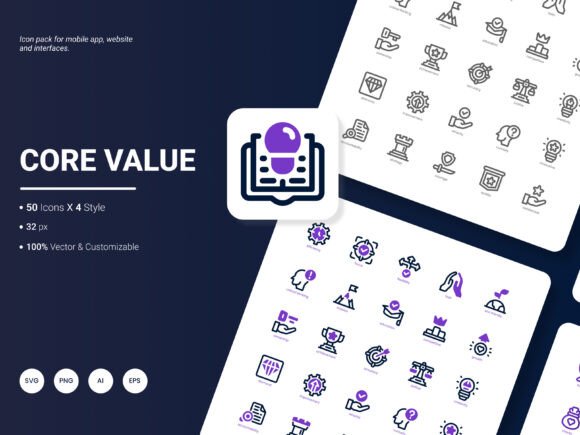
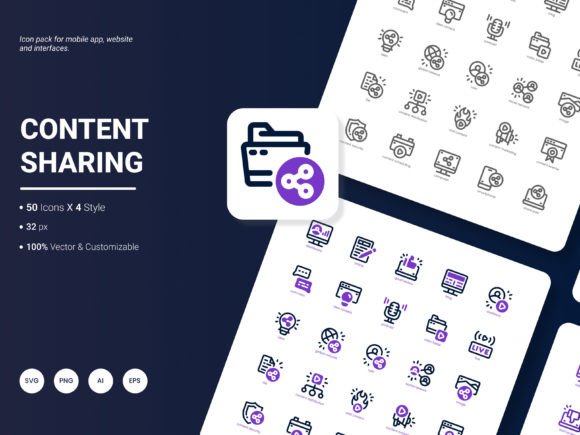
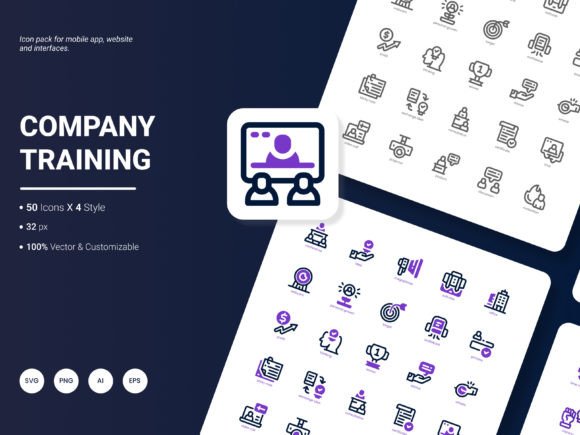
At its core, the pack delivers 200 individual icons, each one representing a popular service, concept, or action tied to corporate training and professional growth. The themes range widely—from instructor-led classroom settings and video tutorials to self-paced online courses, skills assessments, coaching sessions, webinars, and workforce analytics. This breadth means you can map almost any training-related idea without having to mash up unrelated graphics or compromise your visual narrative.
The icons are grouped logically so designers can quickly find what they need. For example, if you’re working on a talent development infographic, you’ll find dedicated symbols for career paths, competency frameworks, and learning milestones all within the same tonal family. That internal coherence is rare in many icon sets, and it’s precisely what makes the Company Training Icon Pack feel so purposeful. You’re not just collecting 200 random images; you’re gaining a unified visual language that holds the viewer’s attention and reinforces your message across multiple touchpoints.
Six File Formats That Cover Every Project Requirement
One of the most practical advantages of the pack lies in its multi-format delivery. Many icon sets ship in a single format and leave you scrambling to convert or resize. Here you receive AI, EPS, SVG, PNG, PDF, and JPG, giving you a head start regardless of which design software or platform you prefer.
- AI and EPS files are vector-based and fully editable in Adobe Illustrator, making them the go-to for detailed customization, brand color matching, or scaling to banner-sized prints without losing clarity.
- SVG icons are lightweight, responsive, and perfect for web and mobile interfaces. Because they scale infinitely, they look razor-sharp on retina screens and adapt seamlessly during responsive breakpoint changes.
- PNG files offer transparent backgrounds and are ideal for quick insertion into presentations, Word documents, or Canva designs where vector editing isn’t necessary. You can grab a 512px or 1024px version and drop it directly into a slide.
- PDF serves as a universal vector container that non-designers can also open and preview while retaining crisp scalability.
- JPG rounds out the offering for situations where a flattened, smaller file size is needed—perhaps for email signatures or social media quick posts.
Having all six formats at your fingertips means that the Company Training Icon Pack adapts to your workflow rather than forcing you into a narrow pipeline. Whether your team lives in Figma, Adobe XD, PowerPoint, or a custom LMS, you’ll always have a format that slots in perfectly.
Exploring the Four Distinct Visual Styles
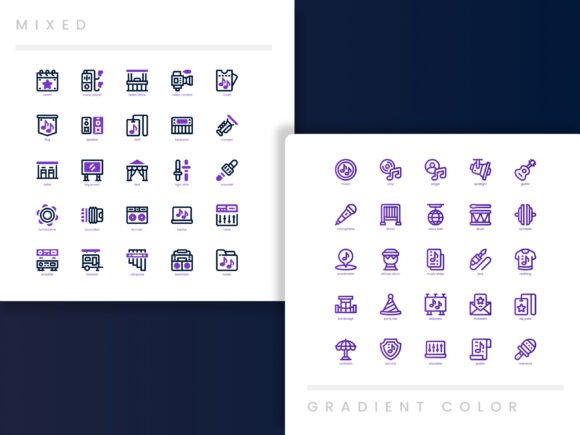
Style versatility is where this collection genuinely shines. Instead of delivering one aesthetic and calling it a day, the pack includes four unique styles, each with its own personality and use case. While the exact style names may vary, designers typically encounter a clean line (outline) style, a bold solid (glyph) variant, a two-tone duotone look, and a flat filled style with a modern edge. This range allows you to maintain design consistency across very different projects.
Imagine a corporate intranet that uses the solid style for navigation icons and the duotone set for featured training tiles—both pulling from the same icon set, so the metaphorical “family” remains intact even though the visual weight differs. That kind of flexibility prevents the jarring mix-and-match effect that happens when you pull icons from multiple creators. Because all four styles share identical shapes and proportions, you can switch between them without realigning whole layouts. It’s a subtle but powerful benefit when you’re iterating on a design and want to test which style resonates best with your audience.
Truly Editable Icons That Bend to Your Brand
A common frustration with icon packs is discovering that color changes leave jagged edges or that certain elements are flattened beyond editing. The Company Training Icon Pack sidesteps these issues entirely. Since you receive the source AI and EPS vectors, every single point, curve, and fill is accessible. Need to recolor an icon to match your company’s primary blue without affecting the inner highlight? You can do that. Want to remove a small detail so the icon simplifies further for a tiny mobile footer? Just ungroup and delete.
This deep editability is crucial in a business environment where brand guidelines are strict. Icons that look almost right but not quite can erode trust in a polished training portal. A fully editable set lets you adjust stroke weights, tweak corner radii, or even combine elements from two icons to create a custom hybrid that uniquely represents a service you offer. The result is a bespoke feel without the time and cost of commissioning custom iconography from scratch.
How the Company Training Icon Pack Supports Modern Learning Ecosystems
Training content today rarely lives in isolation. It flows from instructor-led workshops to self-paced microlearning apps, from printed handouts to live dashboards tracking learner progress. The icon pack is built with this multi-channel reality in mind. Its icons help structure complex information visually: a rocket ship for launch week, a puzzle piece for problem-solving exercises, a heart for wellness or soft skills training, a certificate for compliance passes.
In an LMS interface, for example, you might use the line style icons for sidebar navigation (courses, calendar, resources) and the duo-tone variants for course cards. The cohesive design language reduces cognitive load because users subconsciously recognize that all visual cues belong to the same system. Over time, learners start associating your platform with that polished, professional appearance—a subtle but valuable branding booster.
Even offline materials benefit. Trainers preparing quick reference job aids or printed infographics can drag a PNG icon into a document, and it will hold up even after the inevitable scaling and positioning allowed by less forgiving software like Microsoft Word. And because the pack caters specifically to training concepts, you don’t waste time explaining what a generic gear or star is supposed to represent; the icons already speak the language of learning and development.
Practical Scenarios Where the Icon Pack Excels
Understanding the theory is one thing, but where does the Company Training Icon Pack truly make an impact in day-to-day design work?
Consider a scenario where a talent development team is rolling out a new manager coaching program. They need a slide deck for the launch, a landing page on the intranet, and a series of email announcements. Rather than hunting across free icon websites—each with conflicting styles and licensing headaches—they pull the same icon for “coaching,” “feedback,” and “growth” from the pack in outline style for the website, solid for the slides, and duotone for the email header. The visual thread remains unbroken, and the project ships faster.
Another scenario: a tech startup building a mobile app for microlearning needs to populate the user interface with quick, recognizable symbols. They choose SVGs from the pack for crisp scaling on high-DPI screens. Because the source files are editable, the designer adjusts the corner radius to match the app’s rounded aesthetic and exports a batch in minutes. Users tap icons for “watch video,” “take quiz,” and “download resource” without any ambiguity, which directly improves the user experience and reduces support queries.
In data-heavy analytical reports and infographics, the flat and solid styles carry visual weight that stands out against charts and text. When illustrating a year-over-year increase in training completion rates, a combination of graph elements and training-related icons visually anchors the data in a real-world concept, making the report more engaging for stakeholders who aren’t numbers people.
Evaluating an Icon Pack Before You Commit: What Matters Most
Designers and content creators often weigh several factors before adopting an icon set, and the Company Training Icon Pack lines up well against all the usual criteria.
Scalability is a prime concern—will the icons stay crisp from 16px favicon sizes to billboard enlargements? Because they’re vector-based in the primary formats (AI, EPS, SVG, PDF), the answer is yes. Stylistic consistency is another non-negotiable; the pack’s four styles share identical geometry, so mixing them doesn’t break the visual flow. License clarity is often a headache with cheap icon bundles, but here the included formats suggest commercial-friendly usage designed for client work, presentations, and digital products. Always verify the specific license terms, but the explicit offer of AI files indicates a professional-grade resource meant for real-world deployment.
Content relevance can’t be overstated. The internet is full of generic icons, but training-specific symbols that depict modern concepts like hybrid learning, virtual reality onboarding, or AI-driven skill tagging are less common. By focusing on popular training services and ideas, the pack removes a lot of guesswork and ensures you’re not force-fitting a shopping cart icon where a “course enrollment” graphic should live.
Bringing It All Together: Streamlined Design and Better Engagement
When you step back, the combined effect of 200 icons, six formats, four styles, and full editability is a design toolkit that accelerates production and elevates quality simultaneously. Teams that standardize on the Company Training Icon Pack notice fewer last-minute scrambles for visuals because the library already contains the symbols they need, already matches, and already exports in whatever format the next deliverable demands.
This kind of asset consistency also builds a subtle form of trust with learners and clients. They may not consciously register why your training materials feel more professional, but a clean, consistent icon set communicates attention to detail and respect for the user’s experience. In competitive markets—whether you’re selling an online course, managing a corporate university, or pitching a learning consultancy—those small impressions add up.
Evolving the Icon Pack: What Could Future Updates Bring?
No icon set is ever truly finished. As workplace learning continues to morph, future iterations of the pack could expand into emerging areas. Many users have expressed interest in seeing dedicated icons for remote facilitation tools, peer-to-peer micro-feedback loops, mental wellness at work, neurodiversity inclusion in training, and even symbolic representations of AR/VR training environments. Additional file formats like Figma components or Adobe XD libraries would also lighten the workflow for UX teams. Regular seasonal style updates—perhaps a glassmorphism variant or an animated SVG base—would keep the Company Training Icon Pack at the cutting edge of visual trends. Incorporating community suggestions directly into the next release would cement its status not just as a product, but as a living design resource that grows alongside the industry it serves.